abc Pocket Phonics: letter sounds and writing + first words
Cost-$2.99
For emergent writers, abc Phonics introduces letter-sound relationship. As they learn the sounds, they follow the arrows to trace the letter. The app also does letter combinations such as ch and sh. You can shut off the letter guiding arrows and the app will judge the accuracy. Bright colors, interactive. Not a great app if a student does not have good fine motor skills. Enhances eye-hand coordination, fine motor skills, letter-sound association,
You-Tube has a demo of the app.
http://youtu.be/mMoDlhYPlMw![]() iwrite words
iwrite words

Cost-$2.99 (There is a lite version.)
Award winning app for hand-writing letters. YouTube has a demo.
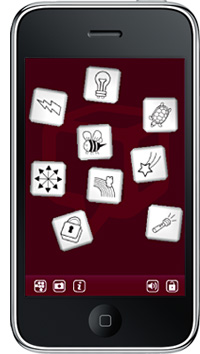
http://youtu.be/8ZTkPtAyqOY
iThought
Cost-7.99

A graphic organizer app to help students organize their thoughts. Similar to Inspiration with concept maps, bubbles and links to the bubbles. easy to navigate. Can export to a pdf file. For lower level content skills.
Instant Poetry
Cost-$1.99

Similar to the once popular magnetic fridge magnets to creat poetry, it comes in an i-pod app. Drag and drop words to create poems. Can import a background form i-pod pictures. Students must be literate to us ethis app. Can e-mail the document. Good to trigger ideas in the writing process.
 POW!
POW!
Cost-$2.99
Strip Designer
app to create comic strips using pictures from camera roll. Captures pictures and sequences. You can add symbols and balloons with text. You can make a comic journal for many subject areas. Good for visual learners and relunctant writers. Good app to instill creativity and imagination. Sequencing skills.
Writing Tool Kit

Cost-$3.99
For emergenr writers who do not know where to start writing a story. You do need to be able to read in order to use this app. 14 sections with questions to trigger ideas for a story with various story elements like plot, characters, setting, ect. Good for writers block. Reminders for mechanics. Can also take notes.
Storyteller
Cost-$1.99
Good app to trigger ideas. You can pick a sceneario using pictures from your camera roll. Easy to use with thousands of ideas, plots, ect,
Storycubes
Cost-$1.99

Easy to use app. Put pictures together in sequence to make up a story. You can e-mail the finished product. Decks of pictures to sequence. Helps with triggering ideas and sequencing a story.
Language Builder
Cost-$3.99
You choose a picture from your camera roll and record your voice to create a story. Picture-based story telling. You can e-mail the recording. Can help with sequencing, imrpove expressive and receptive language.
Good to get ideas going.
Flat Stanley
Cost-$1.99

Very cute app kids will enjoy. You pick a "Stanley" character, put him in a picture from your camera roll and make up a story. Good for sequencing, language development, triggering of ideas. Fun and engaging for students. Can e-mail finished product.
Cost-$3.99

Records your voice based on a picture. Sequencing. Triggers ideas. E-mail your story with the voice recording.
ABC
For lower level mechanical skills. A tracing app. with upper and lower case letters. Good to develop alphabet, fine motor skills, eye to hand coordination.
WritePad
Cost-$3.99

A unique app for handwriting recognition. You write on your i-pad or i-pod touch and it translates it into text. Good for students with problems with mechanics of writing and spellin difficulties. Increases speedof input.
Can store files in folders and e-mail document. Exports to a pdf file.
Speak It
Cost-$1.99

A basic text to speech app. Easy to use. You type in te text and it reads it back to you. Good for editing.
Voice Memo
Cost-$0.99

For students with problems with mechanical skills (ex holding a pencil) or fine motor skills. You do a voice recording and it saves it. Good for students with really good ideas but written output is difficult. Can e-mail the recording. Easy to use.
DocToGo
Cost-9.99

Pricey app but you get word processor, Excel and Power Point on your i-pod. Use it as your computer. Send document via e-mail. 3 templates for Power Point slides.
 Tiki Notes
Cost-Free
A good word prediction app. Has an alternate keyboard for those who find it too small. E-mail text. Supports spelling. Copy and paste document. For upper level mechanics issues.
Dragon
Cost-Free

Good app for students who have all the ideas and excellent verbal expression, but have difficulties putting it on paper. A voice to text app. You must have Wifi in order to send the voice to a server. Must have the skills to articulate, plan and oraganixe ideas. Firewall must be opened to use this app. Easy to use. Can do editing, grammar. ect, E-mail text.
Pictello
Cost-$14.99

A words to picture app with option of voice recording. An e-journal using pictures from camera roll. Good for story development, sequencing of ideas. Text to speech to create a read-aloud book. Can type in story of voice record. Can send e-journal via e-mail. Good for any sequencing type activity or for use in social stories.
Reel Director
Cost-$1.99

Captures video and creates small films. Can include voice overs, text, editing feature. Can be exported.
Evernote
Cost-Free
Has many of the features other apps have all in one app. It can do voice to text writing. Purpose is to save any notes via text or voice recording. Can add pictures with text and voice overs. Good for students who have ideas but problems putting it into text. Or students who have ideas at home or on the bus and with this app, you can quickly voice record an idea (for a story or project) and save it for later.
Private Journal
Cost-Free
A daily journaling app that allows you to keep track of daily events. Type in text and add pictures, music. Good for students going on a trip to keep track of events with pictures and save it as a writing project. Can also be used for science field trips, band trips, ect.
MindJet
Cost-$6.99

More sophisticated-looking than Inspiration. Can add neat symbols, arrows or rounded lines to connect the bubbles. Can be saved and exported. Good to organize ideas before the writing task or for sequencing of events. Works with MindManager program.
Letter Tracer
Cost-$0.99
For emergent writers to practice letter writing. Trace the letters, then write them without the guide. Voice over is a new feature. Can change pen size, voice, volume, upper or lower case and numbers.

The Brainstormer
Cost-$1.99

This app allows you to develop story with prompts. Good for writers block. Must be literate. Very visual and engaging. It had three spinning wheels with plot, theme, and subject/location. By spinning the wheels you can develop story ideas or let the wheels take you where they may. Good for creative promtps for writing.
Whack Pack
Cost-$1.99
An app for the more advanced writer who has a serious case of writers block. This app has won many awards for creativity and innovation. There are 64 illustrated creative strategies to help writers develop ideas. Four themes. Based on the original Whack Card Deck. The cards that come up will be random that makes it fun. Must be literate. Advanced. Can also be used as a problem solving app. Very unique.
Check out U-Tube demo by the creator of this app.
Mind Mash
Cost-Free
A brainstorming and note taking app for the i-Pad. You can generate ideas by combining text, pictures and and drawings to generate ideas. Great for projects in any subject area. Can add these "bits" onto a sheet and use text, picstures and/or drawings or scribbles. Layout of the sheet is free form.
Mind Node
Cost-$5.99

A mindmapping app similar to Inspiration program. Easy and intuitive application to put ideas down and to organize them. Bubbles are called nodes in this app. You can drag and drop them on the screen whoch makes it interesting and fun. Save and export. Bright and colorful.
Story Kit

Cost-Free
Create your own stories by either drawing on the screen or using a picture from the camera roll. Can add voice recording or sounds to the story. App uses four public domain children's stories and you can re-order them, add text or voice recording.
Simple Mind
Cost-$6.99

A mindmapping app for the i-Pod and i-Pad. You can drag and drop bubbles and lines. Bubbles can be color coordinated and lines can have various designs. Search topics for ideas. Scroll, zoom or rotate page. Final product can be e-mailed or saved in camera roll.
Idea Sketch
Cost-Free

Another mindmapping app that lets you convert your map to a text outline similar to Inspiration program. Good for brainstorming ideas and then havinf an outline already made into text. Facilitates the writing process.Maps can be saved. Easy to use. Enter the text and move the shapes around.
Popplet

Cost-$4.99Another mindmapping app to use to organize ideas or sequencing. What is unique about this one is you can add pictures from your camera/web or draw inside the bubbles.. You can create vision boards for personal use or to visualize a project. Can re-size the bubbles. Drag accross and it automatically creates another "popplet". Touch the screen to create a stand-alone bubble. All the connecting is made on the screen. Bright colors. Good for students who have the ideas and toughts, but have difficulty organizing them. Can save you rpopplets. Can zoom in and out.
You can watch demo on U-Tube.
Example of a "popplet".
Simple Mind
Cost-$6.99
Not as good as Popplet but a simple mindmapping app to organize thoughts and ideas. Good for students who never tried a app grpahic organizer. You can color code the bubbles. Type in the text in the bubbles. Tap to make a connection between the bubbles. Check out demo on u-tube.
StoryBoard
Cost-Free

Create your own cartoons with this app. Hundreds of characters and props to choose from for those who need prompts. Good for sequencing events. Free version lets you do two stories with ten drawings. Many options to show movement of the characters or direction. Can add pictures that can be moved around, re-sized. Can add arrows. For background, can use a picture from your camera roll. Good for sequencing of events, show cause and effect, for relunctant writers. Can add text. Must be literate.
 eSpecial Needs has over 500 products for special needs children. Company started in 2002 in Missouri by a parent of an autist child that had difficulty finding assistive equipment for her child. Types of products are: Positioning Seats, Pencil Grips, Computer Aids, Mibility Aids, Bedding, Toiletry, Dining, Motor Skills, Sensory Items, Toys, Rehab products, Strollers and Wheelchairs, Speech and Communication and many more. You can shop by diagnosis or category. Here are a few examples:


 The weighted vests are also used for help with proper seating. These are not cheap! They cost between $200-$300. Website:


 Website:
 http://www.achievement-products.com/